Start with the item you need
Open the shopping plan and search for an item. Choose the exact variant, then inspect its purchase cost and known sellers. Items can share a name, so compare their race, degree, level and purchase cost before adding a large quantity.
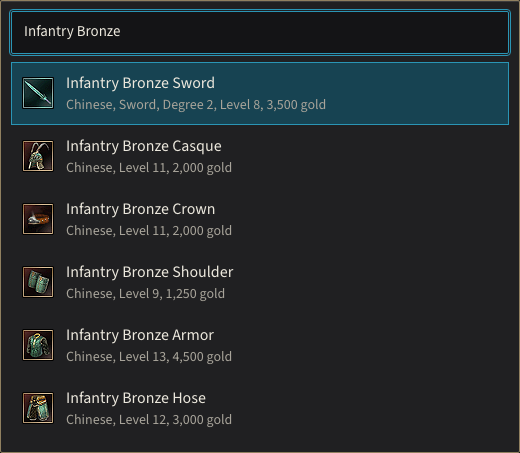
Each result shows the race, degree, level and purchase cost that tell similar names apart.
Add to plan creates a line in the basket. Select a merchant for an item when more than one known seller is available. Grouping lines by vendor helps you identify purchases that can be made together; it does not claim that the selected vendor has the cheapest live price.
Calculate the purchase quantities
For a worked example, add two Copper Swords and one Infantry Bronze Sword. At their listed purchase costs, the known total is 5,280 gold: twice 890 plus 3,500. Blacksmith Chulsan stocks both items.
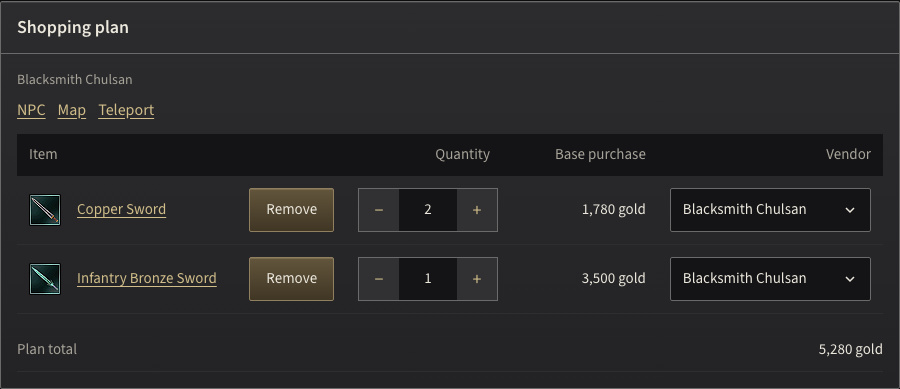
Two Copper Swords at 890 gold and one Infantry Bronze Sword at 3,500 gold, both from Blacksmith Chulsan, total 5,280 gold.
The quantity field can be cleared and retyped without losing the row while you are editing. Entering zero removes an unneeded line; the separate Remove action makes that choice explicit. Reopening the saved link or reloading the page retains the selected quantities and merchants.
Treat unknown costs as missing information
Some materials do not have a listed purchase cost or a known shop seller. Check these separately: do not count a missing price as zero or assume that a priced item has a shop seller.
The known subtotal can still help you plan your budget. Open the item's page to look for linked quest rewards or other ways to obtain it. Do not assume that a material is free or that a vendor sells it because the rest of the basket is available there.
Bring recipe requirements into the same basket
The alchemy materials workbench lets you choose recipe alternatives and an attempt count before opening Plan these materials. That opens the shopping plan with the chosen ingredients and required amounts. Ingredients you did not choose are left out.
Opening the same recipe link again does not multiply the basket. It keeps an existing larger quantity; if the recipe requires more, it raises the amount. To prepare separate batches, enter their combined quantity in the shopping plan.
Visit the merchant and return to the plan
Open the selected vendor to see its full stock and known map location. Use the teleport itinerary to check gate connections and listed fees. Plan the walk from the gate to the shop separately.
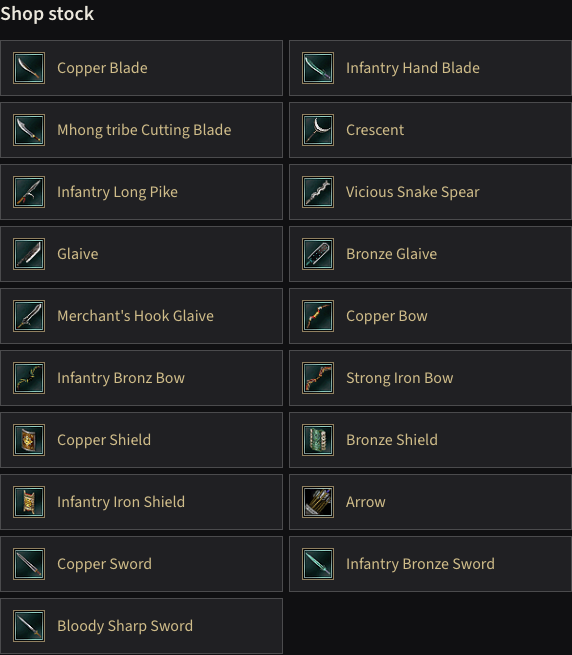
Blacksmith Chulsan stocks both swords of the example among the blades, spears, bows and shields.
Your selected items, quantities and merchants stay together while you inspect their pages. Use Copy link to save or share the shopping plan. If your choices are not kept between visits, reopen that link.